Don't Just Link, Govern: How to Automate Internal Linking on Large WordPress Sites Without Breaking Them
A guide to the safeguards and governance needed for automating internal links on large WordPress sites without breaking them. Learn the right way.

Why Internal Linking on Large Sites Is a Governance Problem
For any publisher managing a large WordPress site in Australia—whether it's a news outlet with a sprawling archive, a SaaS company with thousands of help docs, or an e-commerce brand with a deep product catalogue—manual internal linking is simply not feasible. With hundreds or even thousands of URLs, ensuring each page is woven into your site's fabric becomes a task beyond human scale. This is where automation enters the picture. But as our team at Kadriva has seen time and again, the real challenge isn't just turning on a tool; it's implementing a system of governance to prevent that tool from causing chaos. Without proper controls, automated linking can degrade site performance, create a poor user experience, and dilute your SEO efforts rather than focus them.
Internal links are the primary means by which search engines discover your content, understand its topical structure, and distribute PageRank (or 'link equity') across your domain. For large sites, they are one of the most powerful, controllable levers for improving search visibility. The goal of automation should be to apply this lever with precision and at scale. However, the risk of 'breaking' the site is real. It can manifest as performance lag from inefficient database queries, irrelevant links that hurt user trust, or algorithmic penalties for looking like a low-quality, over-optimised content farm. This article outlines a governance framework for safely automating internal linking, moving from a mindset of 'more links' to one of 'right links, safely delivered'.
The Two Models of Linking Automation: Rules vs. Suggestions
Internal linking automation tools, particularly within the WordPress ecosystem, generally fall into two categories. Understanding the difference is the first step in building your governance strategy, as each carries distinct risks and benefits for large-scale publishers.
1. Rule-Based Auto-Linking
This is the most common form of 'set-and-forget' automation. Tools in this category, such as the popular Internal Link Juicer plugin, allow you to create keyword-to-URL mapping rules. For example, you can set a rule that every time the phrase "content marketing strategy" appears in your content, it automatically links to your pillar page on that topic.
-
Mechanism: Links are typically injected dynamically when a page is served to a user, rather than being permanently written into your post content in the database. This is a crucial safety feature, as disabling a rule instantly removes the links without requiring a mass content update.
-
Governance Needs: The primary risk is over-linking. A broad keyword could appear hundreds of times across your site, creating an unnatural and spammy link profile on certain pages. Effective governance here requires setting strict limits: maximum links per page, capping how many times a single keyword can be linked on one page, and excluding certain areas like headings or blockquotes.
2. Suggestion-Based Semi-Automation
This model acts more like an editorial assistant. Tools like Link Whisper and others first perform a full-site index to understand your content inventory. Then, when you're working in the WordPress editor, they present a list of contextual linking opportunities from other posts on your site.
-
Mechanism: These tools use algorithms (ranging from simple keyword matching to more advanced TF-IDF or semantic analysis) to find relevant link opportunities. The final decision to insert the link rests with a human editor, who can approve or reject each suggestion.
-
Governance Needs: The main challenge here is editor consistency and efficiency. For a site with thousands of pages, reviewing suggestions one-by-one is still a significant task. Governance involves creating clear editorial guidelines on what constitutes a 'good' link and when to trust the tool's suggestions. Many of these tools also offer a 'full automation' mode, which essentially turns their suggestions into rules, blending the two models and requiring the same governance as rule-based systems.
A Governance Framework for Safe Automation
Automating internal links on a site with thousands of pages requires more than just installing a plugin. It requires a deliberate, phased approach grounded in risk management. At Kadriva, we guide large publishers to think of this not as a one-time task, but as an ongoing system of control.
Here is a step-by-step framework for deploying automation safely:
-
Start with a Diagnostic Scan: Before activating any automation, run a full site audit. Use a tool that can identify orphan pages (those with no inbound internal links) and check for existing broken internal links. Fixing these issues first provides a clean slate.
-
Define Your Linking Policy: Create a formal document outlining your internal linking strategy. This should specify:
-
Target Ratios: How many internal links should a standard article have? A common rule of thumb is 3-5 links per 1,000 words, but this will vary based on content type.
-
Anchor Text Rules: Define your policy on anchor text. Should it be exact match, partial match, or generic? For example, you might decide to limit exact-match anchors to only your most important 'money' pages to avoid over-optimisation signals.
-
Exclusion Zones: List the post types, categories, or CSS classes where links should never be added automatically (e.g., legal disclaimers, homepages, navigation menus).
- Configure Safeguards Before Activation: Dive into your chosen tool's settings and implement hard limits. This is your most critical defence against unintended consequences.
| Control | Setting | Why It Matters For Large Sites |
|---|---|---|
| Global Link Cap | Max links per post | Prevents any single page from becoming a 'link farm,' protecting user experience and avoiding spam signals. |
| Keyword Density Cap | Max links for the same keyword on one page | Stops the same anchor text from being linked repeatedly, which looks unnatural to both users and search engines. |
| Content Exclusions | Don't link in H1/H2, first paragraph | Protects critical on-page elements. Linking out from the first paragraph, for instance, can send users away before they've engaged. |
| Post Type Targeting | Only apply rules to 'post' and 'page' types | Prevents the tool from injecting links into product descriptions, custom post types, or other areas where they might break layout or functionality. |
- Deploy in Phases: Do not activate site-wide automation at once.
-
Phase 1 (Manual Vetting): Start with suggestion-only mode. Use the tool as an assistant to see the quality of its recommendations. This helps you refine your rules.
-
Phase 2 (Limited Automation): Create a handful of highly specific, high-confidence rules for your most important pillar pages. For instance, link an exact, long-tail keyword to a specific, high-converting page. Monitor the results.
-
Phase 3 (Scaled Automation): Once you have confidence in your rules and safeguards, gradually expand your rule set. Continue to prioritise non-destructive tools that add links at render time, giving you a simple 'off switch' if something goes wrong.
By following this governance-led approach, publishers can harness the power of automation to build a robust site architecture without risking the performance and integrity of their large WordPress sites. This methodical process is a core principle we build into the Kadriva autopilot engine, ensuring that scale never comes at the cost of safety.
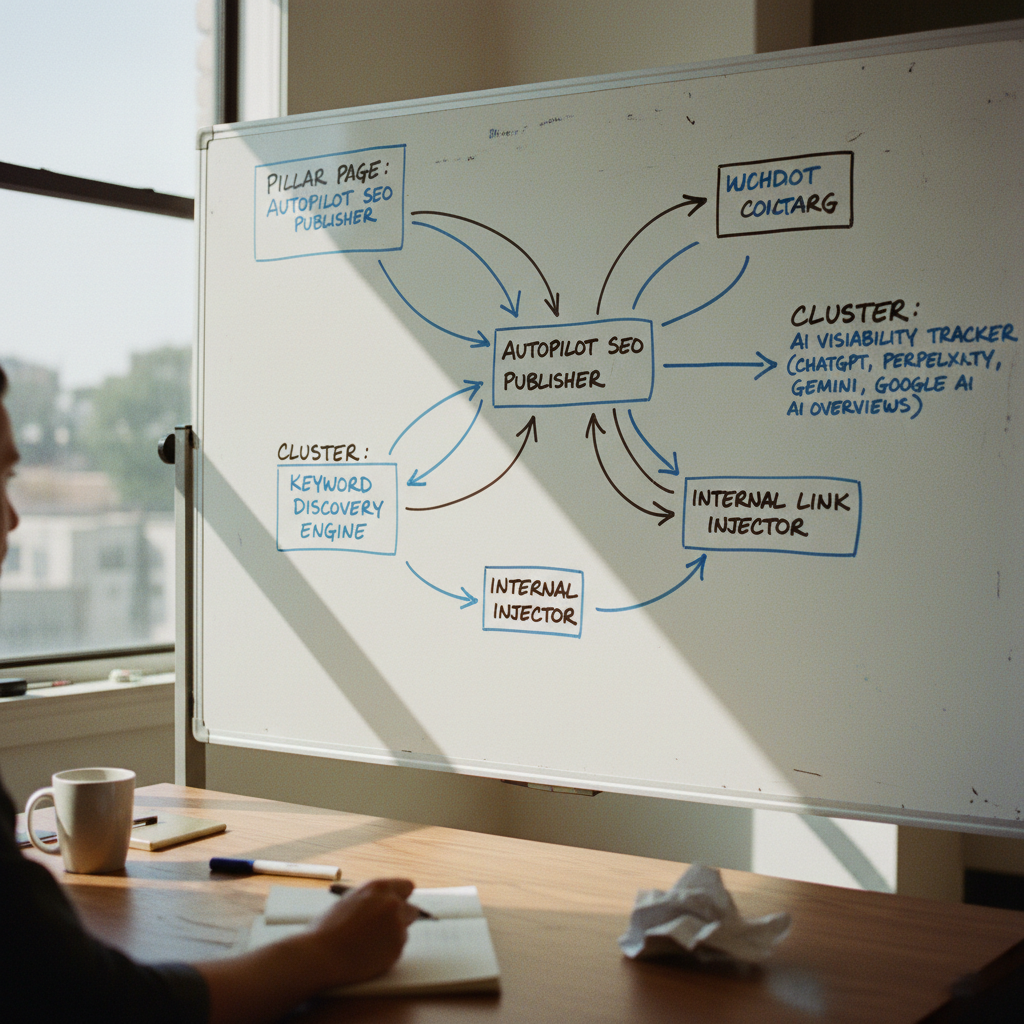
The Kadriva Approach: Integrating Linking into a Perpetual SEO Pipeline
While WordPress plugins offer a solid starting point, true scalability comes from integrating internal linking into a comprehensive SEO workflow. Standalone linking tools solve one piece of the puzzle, but they are disconnected from keyword discovery, content creation, and performance tracking. This is a gap we've deliberately addressed at Kadriva.
Our platform treats internal linking not as a separate task, but as a crucial step in a perpetual pipeline that runs from keyword discovery to AI visibility tracking. When our engine discovers a new high-intent keyword for an Australian business, it doesn't just draft an article. It simultaneously identifies existing pages on your site where a link to this new article should be placed. By using a centralised system, the platform can make intelligent decisions based on the entire content lifecycle:
-
Contextual Awareness: Instead of just matching keywords, the system understands the topical authority of source and target pages, ensuring links are always relevant.
-
Orphan Prevention: New content is never published as an orphan. The system ensures it's linked from relevant existing pages from the moment it goes live.
-
Dynamic Link Management: As your content strategy evolves, the system can update linking patterns to reflect new pillar pages or content clusters, without requiring manual intervention on thousands of old posts.
This unified approach moves beyond the limitations of single-function plugins and provides the governance and scalability large publishers need to compete effectively in modern search. It connects the 'why' (keyword opportunity) with the 'what' (content creation) and the 'how' (automated linking and indexing), all within a single, controlled environment.
Monitoring and Maintenance: Your Job Isn't Over
Automation is not a one-time setup; it's a system that requires monitoring. Once your internal linking rules are live, your focus should shift to maintenance and performance analysis.
Regular Health Checks:
-
Crawl Stats: Keep an eye on your crawl stats report in Google Search Console. A sudden, massive spike in 'pages crawled per day' after enabling automation could indicate that you've created a spider trap or are forcing Google to crawl too many low-value URLs. A healthy increase is expected; an exponential one is a red flag.
-
Link Reports: Use Google Search Console's link report or a third-party tool to periodically review your most-linked pages. Ensure your automation is distributing link equity according to your strategy, not just concentrating it on a few pages that happen to contain popular keywords.
-
Spot-Check User Experience: Regularly browse your own site. Do the automated links feel helpful and natural? Or do they interrupt the flow of the content? Use your own judgment as a proxy for your users' experience.
Refining Your Rules:
Your automation rules should evolve with your site. If you publish a new, comprehensive guide on a topic, you may need to update your old rules to point to this new, superior resource. Similarly, if you notice an automation rule is creating irrelevant links, refine its anchor text or add negative keywords to make it more specific.
Treat your internal linking automation as a dynamic system, not a static setting. Regular, scheduled check-ins will ensure it continues to support your SEO goals without introducing unintended side effects.
About Kadriva
Kadriva is the autopilot SEO + AI-visibility engine for modern brands. We serve a global client base across North America, Europe, and the United Kingdom, helping them scale their search presence. Our platform discovers high-intent keywords across every market, drafts and ships SEO-ready pages, injects internal links into your existing site, pings IndexNow + Google Search Console, and tracks citations across ChatGPT, Perplexity, Google AI Overviews and Gemini—all on one perpetual pipeline. We are best at providing a single, automated system that takes SEO tasks from discovery to execution and monitoring, replacing the need for multiple disparate tools.
Kadriva on Internal Linking
“For large WordPress sites, manual internal linking becomes a significant bottleneck, often leading to inconsistent link profiles and missed SEO opportunities. We
The Kadriva Team on Internal Linking
“Manual internal linking on large WordPress sites becomes a significant bottleneck, often leading to inconsistent link structures and missed SEO opportunities. Automating this process isn't just about saving time; it's about ensuring every relevant piece of content supports the site's overall authority and discoverability.” — the Kadriva team. This approach elevates content strategy, allowing teams to focus on creation rather than tedious maintenance.
Frequently asked questions
Will internal linking automation plugins slow down my large WordPress site?
It depends on the plugin's architecture. Many modern tools, like Internal Link Juicer, are designed to be non-destructive and minimise performance impact. They work by adding links 'at render time' rather than modifying your database for every page load. This means they run their complex calculations once, then apply the results dynamically. However, poorly coded plugins or those that run heavy database queries on every single page view can absolutely slow down a large site. It is crucial to choose a well-regarded tool and test its impact in a staging environment before deploying on your live site.
Can I trust AI-powered link suggestions for my site?
AI-powered suggestions, often using models like TF-IDF or APIs from OpenAI, can be highly effective for identifying relevant linking opportunities that a human might miss. However, they should be treated as suggestions, not commands. Trust, but verify. The AI is excellent at pattern recognition and semantic analysis but lacks human editorial judgment. It might suggest a link that is technically relevant but contextually inappropriate or unhelpful to the reader. Using these tools in a 'suggestion-only' mode, at least initially, is a wise governance strategy.
How many internal links are too many for one page?
There is no single magic number, as it depends on the length and purpose of the page. Google has stated there is no hard limit, but best practice is to focus on user experience. A good rule of thumb is to add links only where they provide genuine value to the reader. For a long-form article of 2,000 words, having 10-15 well-placed, relevant internal links would be perfectly reasonable. Conversely, 50 links on a 500-word page would likely be excessive and create a poor user experience. Focus on utility, not just quantity.
What is an orphan page and how does automation help fix it?
An orphan page is a page on your website that has no internal links pointing to it from any other page on your site. Search engines have a very difficult time discovering and indexing these pages because their crawlers can't find a path to them. Many internal linking tools, including the system built into Kadriva, have features to specifically detect orphan pages. Automation helps by scanning your existing content for mentions of keywords related to the orphan page and automatically suggesting or adding links, thereby integrating the page back into your site structure and making it visible to search engines.
Can automated internal linking hurt my SEO?
Yes, if implemented without proper governance, it can. The primary risks are creating a spammy user experience with too many links, using the same over-optimised anchor text repeatedly, and creating irrelevant links that confuse both users and search engines about your site's topical structure. This is why a 'govern first' approach is essential. By setting strict rules, using non-destructive tools, and regularly monitoring the results, you can mitigate these risks and ensure automation serves as a powerful, positive SEO lever.
About Kadriva
Kadriva is the autopilot SEO + AI-visibility engine for modern brands. It discovers high-intent keywords across every market, drafts and ships SEO-ready pages, injects internal links into your existing site, pings IndexNow + Google Search Console, and tracks citations across ChatGPT, Perplexity, Google AI Overviews and Gemini — all on one perpetual pipeline.
Expert services sold to organisations — legal, accounting, agency, consultancy, engineering.
request a quote or get in touch with KadrivaNext step
Continue with Kadriva
Kadriva is the autopilot SEO + AI-visibility engine for modern brands. It discovers high-intent keywords across every market, drafts and ships SEO-ready pages, injects internal links into your existing site, pings IndexNow + Google Search Console, and tracks citations across ChatGPT, Perplexity, Google AI Overviews and Gemini — all on one perpetual pipeline.
Visit KadrivaWritten with information published by Kadriva.
Keep reading
A step-by-step guide for Nigerian SaaS and e-commerce brands on how to get cited and sourced in answers from AI engines like ChatGPT, Gemini, and Google AI Overviews.
A step-by-step guide for Swedish solo founders on how to automate SEO, from keyword discovery to content and AI citation monitoring, using a perpetual pipeline.
A practical framework for tracking your brand’s citation visibility for high-intent buyer questions across ChatGPT, Perplexity, Gemini, and Google AI Overviews.
GSC's new AI report shows impressions, but it's not enough. Learn how to track true AI visibility across ChatGPT, Perplexity, and Gemini for a complete picture.