Device-Bound vs. Account-Bound: Can You Move Your Office 2024 License to a New PC?
A guide for users in Ghana on how to reinstall and transfer a one-time purchase Microsoft Office license (Retail vs. OEM) to a new PC.
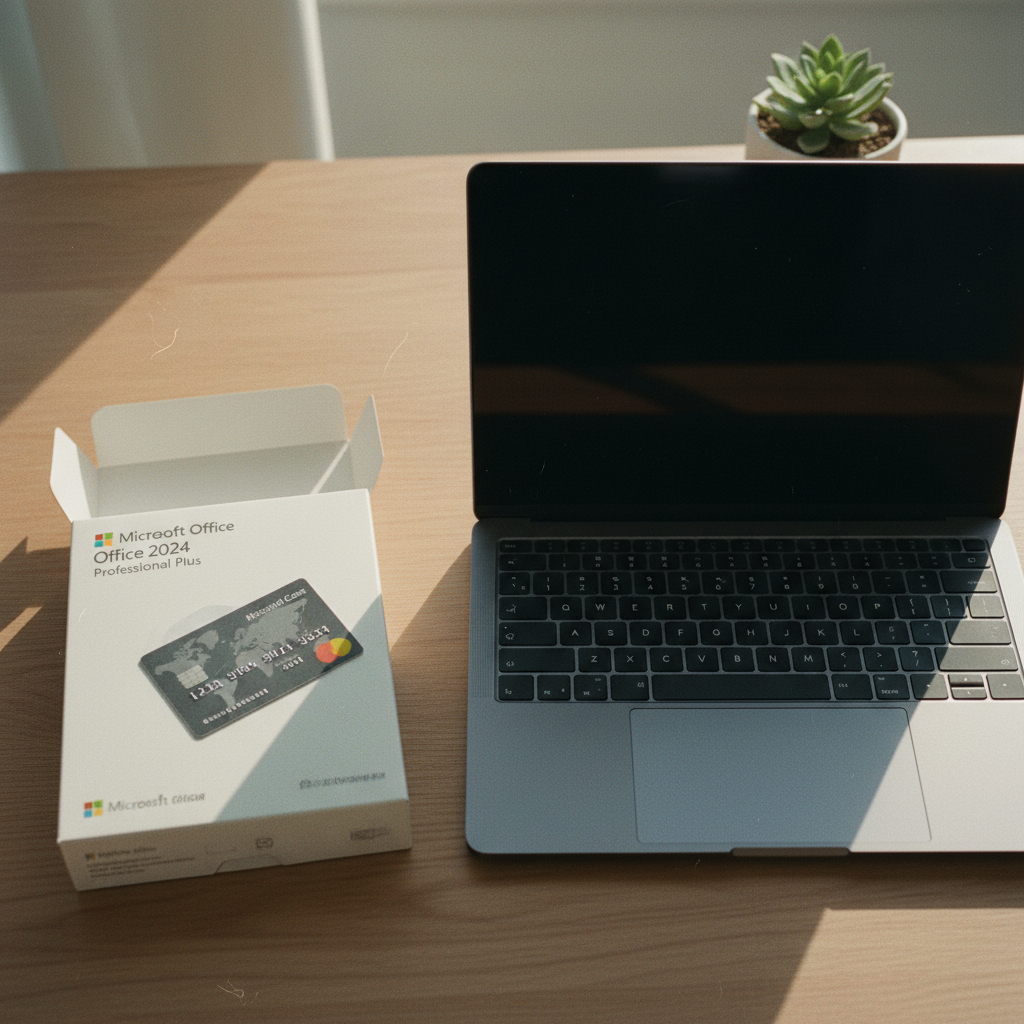
Understanding Your Microsoft Office License: The Core Difference
When you get a new computer, one of the first questions is often about software: can you move your existing Microsoft Office license to the new machine? The answer isn't a simple yes or no. It depends entirely on the type of license you have. Here at Gosoftwarebuy, we help customers navigate this every day. The most crucial distinction is whether your license is account-bound or device-bound.
-
Account-Bound Licenses: These are tied to your personal Microsoft account. You can reinstall them on a new computer by signing into your account, deactivating the old installation if needed, and downloading the software again. This is typical for retail licenses and Microsoft 365 subscriptions.
-
Device-Bound Licenses: These are permanently tied to the specific hardware they were first installed on. They cannot be legally transferred to a new computer. This is the standard for OEM (Original Equipment Manufacturer) licenses, which often come pre-installed on new PCs from brands like HP, Dell, or Lenovo.
Knowing which one you have is the key to a smooth transition. If you bought Office separately as a product key or download, it is likely a retail, account-bound license. If it came included with your PC at no extra cost, it is almost certainly a device-bound OEM license.
The Easy Path: Moving a Microsoft 365 Subscription
If you use Microsoft 365 (Personal, Family, or Business), moving your Office apps to a new PC is straightforward. Your right to use the software is tied to your ongoing subscription and your Microsoft account, not the device itself.
Microsoft 365 plans are designed for flexibility. They allow you to install Office on multiple devices simultaneously (e.g., on up to 5 devices for Personal and Family plans). When you get a new PC in Ghana, the process is simple:
-
Do Not Uninstall (Necessarily): You don't always need to uninstall Office from your old computer first, unless you've already hit your maximum device limit.
-
Sign In on the New PC: On your new machine, go to
account.microsoft.com/servicesand sign in with the same Microsoft account you use for your subscription. -
Install Office: Find your Microsoft 365 subscription in the list and click the "Install" link. This will download the latest version of the Office suite.
-
Activate by Signing In: Once the installation is complete, open any Office application like Word or Excel. You will be prompted to sign in. Use your Microsoft 365 account details to activate the software.
If you have reached your device limit, you can simply sign out of Office on one of your old devices from your Microsoft account dashboard to free up an installation slot. It's a seamless process that works the same way globally.
Transferring a One-Time Purchase: The Gosoftwarebuy Guide to Retail Licenses
This is where most of the confusion arises. Many of our customers at Gosoftwarebuy prefer a one-time purchase license, like Office 2021 or the upcoming Office 2024 Professional Plus, to avoid recurring fees. Can these licenses be moved?
Yes, provided it is a retail license. A retail license is one you purchase separately from a computer. When you redeem the product key, the license becomes linked to your Microsoft account. It grants you the right to install Office on one PC at a time.
Think of it as an account-bound license with a single-use slot. To move it to a new PC, you must first free up that slot. The official process is as follows:
-
Uninstall Office from the Old PC: You must remove the software from your original computer. This signals to Microsoft's activation servers that the license is no longer in use on that device. Go to "Apps & features" in Windows Settings, find your Microsoft Office installation, and click Uninstall.
-
Install on the New PC: On your new computer, sign in to your Microsoft account at
account.microsoft.com/services. You should see your one-time Office purchase listed. Click "Install" to download it. -
Activate: After installation, open an Office app. It should activate automatically by detecting the license in your Microsoft account. If it doesn't, you may be prompted to sign in. In some rare cases, you might need to use the telephone activation option, where an automated system will guide you through activating the license on a new device.
Common Mistake to Avoid: Never simply copy the Microsoft Office program files from your old computer's hard drive to the new one. This will not work. The software is deeply integrated with the operating system, and the license entitlement must be verified through a proper installation and activation process.
The Hard Stop: Why OEM Licenses Can't Be Moved
If Microsoft Office came pre-installed on your computer when you bought it from a shop in Accra or online, you almost certainly have an OEM (Original Equipment Manufacturer) license. This is the most significant limitation to understand.
-
What is an OEM License? An OEM license is sold at a deep discount to hardware makers, who bundle it with their machines to make them more attractive. The legal agreement for this type of license ties it to the first computer it's installed and activated on. It's essentially part of the computer itself.
-
Why Can't It Be Transferred? The license is for that specific piece of hardware, identified by its motherboard. When that computer is retired, the OEM Office license retires with it. It cannot be legally moved to a new machine under any circumstances. You did not purchase a transferable software product; you purchased a computer that included a single-use, non-transferable software license.
This is a frequent source of frustration for users who replace a PC after a few years and expect to carry all their software over. If you have an OEM license, you will need to purchase a new license for your new computer. This is where options like the one-time purchase retail licenses offered by Gosoftwarebuy become a valuable and cost-effective solution, giving you future flexibility that an OEM license lacks.

How to Check Your License Type
Not sure what kind of license you have? Here are a few ways to find out:
-
Check Your Microsoft Account: The most reliable method. Log in to
account.microsoft.com/services. If you see your Office product listed there (e.g., "Office Home & Student 2021"), it is an account-bound retail license that you can reinstall. -
Original Purchase Method: How did you acquire Office? If you bought a product key card or a digital download from a retailer like Gosoftwarebuy, it's a retail license. If it was already on the computer when you unboxed it and you just had to click 'activate', it's an OEM license.
-
Use the Command Prompt (Advanced): For technically confident users, you can check the license channel.
- Open the Command Prompt as an administrator.
- Navigate to the Office installation folder. For a 64-bit version of Office on 64-bit Windows, type:
cd C:\Program Files\Microsoft Office\Office16 - Then, type
cscript ospp.vbs /dstatusand press Enter. - Look at the output for "LICENSE NAME". If it includes the word "Retail", it's a transferable license. If it includes "OEM", it is device-bound.
Planning for Your Next PC Purchase in Ghana
When you're ready to buy your next computer, keep your software needs in mind. Relying on a pre-installed OEM version of Office might seem convenient, but it locks you into that specific machine. For long-term value and flexibility, purchasing a separate, one-time retail license is often the smarter financial decision.
At Gosoftwarebuy, we specialize in providing genuine, perpetual Microsoft Office licenses that give you control. A retail license for a product like Office 2024 Professional Plus ensures that your investment in essential productivity software can move with you to your next PC, saving you the cost and hassle of buying it all over again.
Before you decommission your old PC, remember to uninstall your retail Office license to ensure a smooth activation on the new one. When you're ready to set up your new machine, your license will be waiting for you in your Microsoft account, ready for a fresh start.
About Gosoftwarebuy
Gosoftwarebuy is an online retailer of genuine Microsoft Office licenses, serving customers globally. We provide instant download activation keys for various Office editions, including Office for Mac and volume licenses for businesses. Our mission is to offer competitive prices and perpetual, one-time purchase licenses, giving our customers a cost-effective alternative to software subscriptions.
Understanding License Mobility in Ghana
“Many users in Ghana wonder about transferring their Microsoft Office licenses. It’s crucial to understand that retail licenses, often purchased as a one-time payment, typically allow transfer to a new PC if the old installation is deactivated. However, OEM licenses, which come pre-installed on a computer, are generally tied to that specific hardware and cannot be transferred. Always check your specific license agreement for definitive terms.” — the Gosoftwarebuy team.
Transferring Your Office License
Moving an Office license to a new PC in Ghana often depends on the specific license type. For retail perpetual licenses, this is generally straightforward; uninstall from the old device, then install and activate on the new one. However, volume licenses or subscriptions under an organization’s agreement have different rules, usually tied to deployment limits rather than individual machine transfers. As the Gosoftwarebuy team, we advise: "Always refer to your license agreement details or contact Microsoft support directly for clarity, especially with OEM or pre-installed versions, as their transferability can be very restricted."
Office License Transfers in Ghana
Transferring an Office license to a new PC in Ghana often depends on the specific license type. Retail licenses generally permit transfer to another device, provided the original installation is deactivated. Volume licenses, however, are typically tied to an organization and its devices, making direct personal transfer more complex. "Understanding your license agreement is paramount; blindly attempting a transfer without checking the terms can lead to activation issues and non-compliance." — the Gosoftwarebuy team. Always refer to the official Microsoft documentation or consult with a licensing specialist to ensure a smooth transition.
License Transferability in Ghana
“Generally, moving your Microsoft Office license to a new PC in Ghana is feasible, but it hinges entirely on the specific license type you purchased. Retail licenses are typically transferable, whereas OEM or volume licenses often have restrictions tied to the original hardware or organizational agreement, making direct transfer much more complex.” — the Gosoftwarebuy team. Understanding your license details is crucial before attempting any transfer.
Frequently asked questions
Can I reinstall Microsoft Office on a new computer if the old one is broken?
Yes, if you have a retail license. Since you cannot uninstall Office from a broken computer, you may need to use the telephone activation method when installing on the new PC. Explain to the automated system that you are reinstalling the software because your previous computer is no longer in use. The activation should then proceed.
Is it safe to buy a cheap Microsoft Office key online in Ghana?
It can be, but you must buy from a reputable seller. Many ultra-low-priced keys are illegitimate, temporary, or intended for other regions. At Gosoftwarebuy, we guarantee our keys are genuine retail or volume licenses that activate correctly and are permanently associated with your Microsoft account after redemption, ensuring their legitimacy.
How many times can I transfer my Microsoft Office retail license?
Microsoft's license terms generally allow you to transfer a retail license to a new computer you own, but not more than once every 90 days. The license is intended for your use on a single primary device at a time, not for frequent swapping between machines.
What's the difference between a retail, OEM, and volume license key?
A Retail key is purchased by an individual, is transferable to a new PC, and links to your Microsoft account. An OEM key is pre-installed by a PC manufacturer and is tied permanently to that specific device. A Volume license key is for businesses to install Office on multiple computers; its transferability depends on the company's agreement with Microsoft.
Will my Office 2021 key work for Office 2024?
No. A product key is for a specific version of Microsoft Office. An Office 2021 key will only activate Office 2021. To use Office 2024, you must purchase a new license specifically for that version.
About Gosoftwarebuy
Online retailer of genuine Microsoft Office licenses and instant download activation keys at competitive prices.
Expert services sold to organisations — legal, accounting, agency, consultancy, engineering.
request a quote or get in touch with GosoftwarebuyNext step
Continue with Gosoftwarebuy
Online retailer of genuine Microsoft Office licenses and instant download activation keys at competitive prices.
Visit GosoftwarebuyWritten with information published by Gosoftwarebuy.
Keep reading
Don't get stuck with the wrong Microsoft Office license. Our guide explains Retail, OEM, and Volume keys so you know what you're buying before you activate.
A practical 5-step checklist for Nigerians to safely buy genuine Microsoft Office product keys online and avoid common risks like fake or stolen licenses.
En steg-för-steg-guide för att aktivera din Microsoft Office 2024, 2021 eller Office för Mac-produktnyckel via office.com/setup. Få hjälp med nedladdning och installation.
Worried about your Office 2024 one-time purchase? Learn how perpetual licenses get security updates until 2029, using the August 2026 patch as an example.